Doing a day's audit
Mark each check pass, fail or not applicable, understand what the weights mean, and see how the day's score is worked out.
The audit itself is section 02 Audit Compliance: one row per check, one column per site. You mark each cell and the score follows.
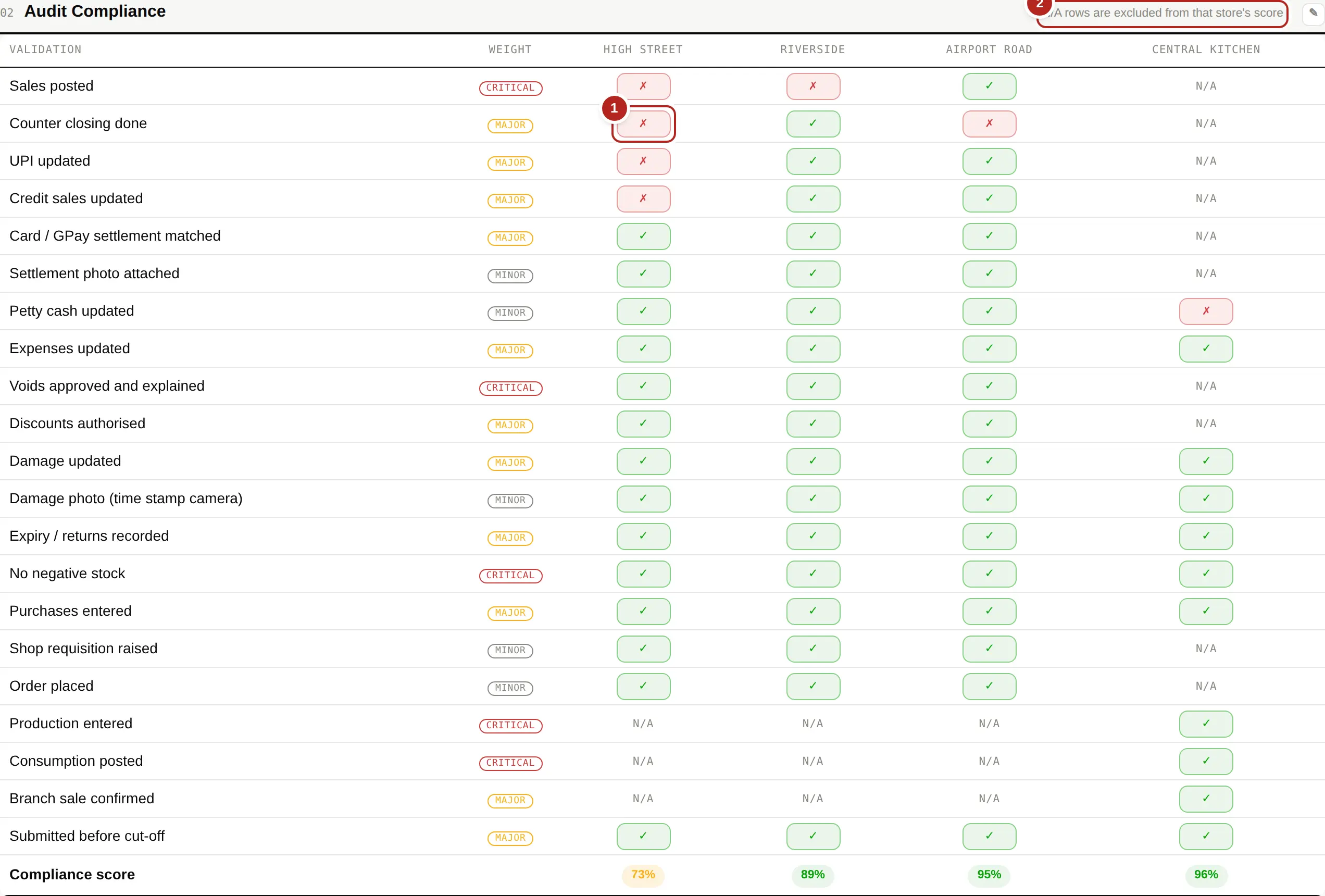
Marking a check
- Find the row for the check and the column for the site.
- Click the cell to move it on: blank → ✓ passed → ✗ failed → N/A → blank. Clicking is the only action; there is nothing to save.
- Leave it blank if the check has not been done yet. A blank is not a pass and not a fail — it is simply not answered, and the site's score says so.
| ✓ | Done, and done properly. |
|---|---|
| ✗ | Not done, or done wrongly. This is what costs marks — and, if the check is critical or major, what raises a corrective action. |
| N/A | This check does not apply to this site. A central kitchen has no counter closing; a shop has no production entry. N/A rows are taken out of that site's score entirely, so a kitchen is never punished for not being a shop. |
| blank | Not answered yet. |
Why the checks are weighted
Each check is critical, major or minor. Missing a critical check costs far more of the score than missing a minor one, because they are not equally serious — a missing settlement photograph and unposted sales should not read the same.
A failed critical or major check becomes a corrective action automatically. Minor ones can be raised by hand if you want them followed up. See Corrective actions.
The score at the bottom
The last row is the site's compliance score for the day. Click any score on a site card at the top of the page to see exactly which checks made it what it is — there is no hidden arithmetic.