Sync, and what to do when two devices disagree
How syncing works, what happens when the same day was changed in two places, and how to choose which copy to keep.
Daily Audit keeps working with no internet. When the connection comes back, Sync sends what this device changed and brings back what other devices changed.
When the same day was changed twice
If somebody else saved a newer copy of a day after this device last synced, that day is not uploaded. Overwriting somebody's work silently would be worse than asking. So it asks:
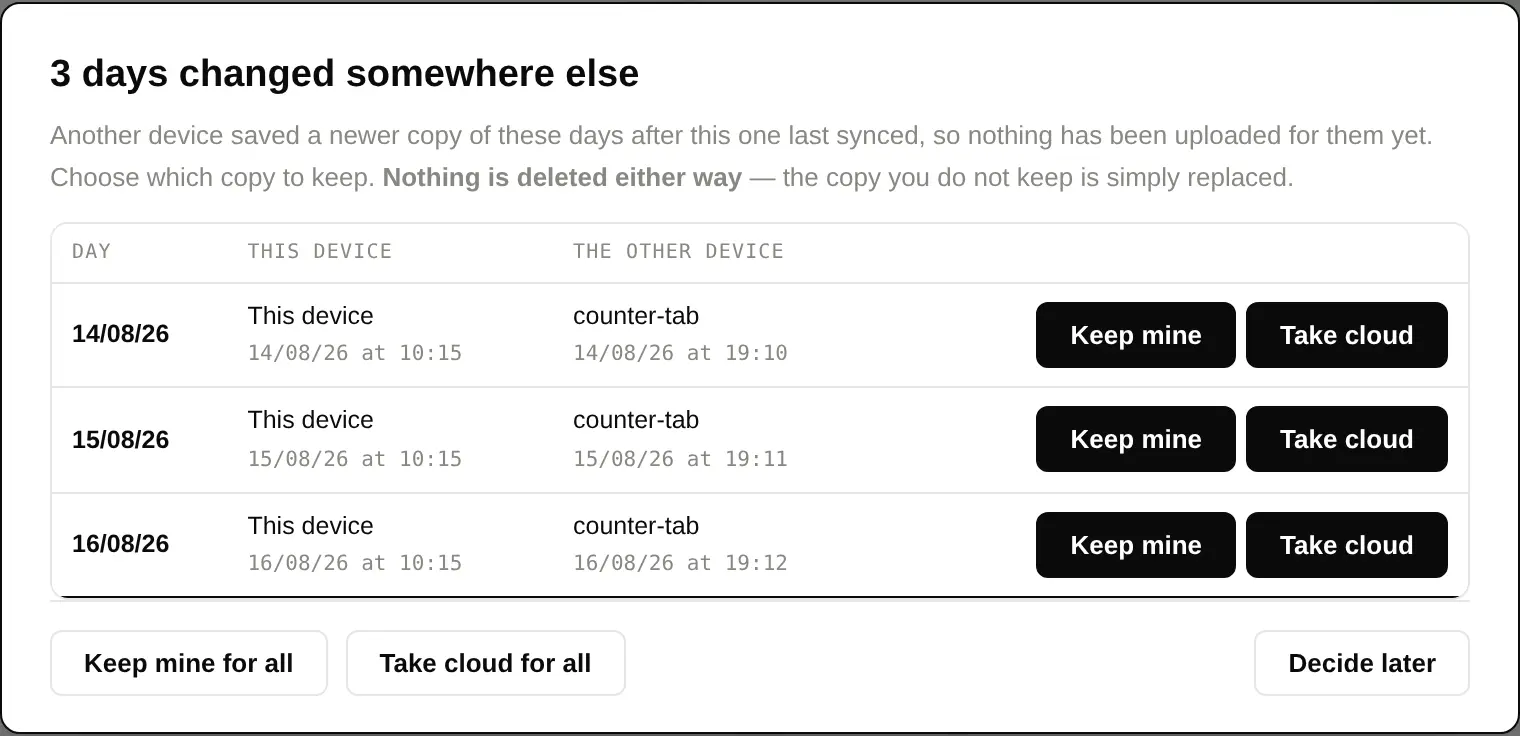
| Keep mine | This device's copy wins and is uploaded. |
|---|---|
| Take cloud | The other device's copy wins and replaces this one. |
| Keep mine / Take cloud for all | The same decision for every day at once. |
| Decide later | Closes the dialog and decides nothing. A line stays on the report screen showing how many days are still waiting, and reopens the dialog when you are ready. |
Nothing is deleted whichever way you choose — the copy you do not keep is replaced by the one you do. Each row shows when your copy was last changed next to when the other device's was, which is usually enough to know which one has the work in it.
If nothing seems to be uploading
Look for that line on the report screen saying days are waiting for a decision. Until they are decided they will not go up — the count of "days to upload" will stay where it is, and everything else will keep syncing normally.