Sending the report out
How to produce the document, choose which sections go in it, and send it to the people who need it.
The report is meant to leave the screen. There are three ways out, and they all produce what is currently on screen — so the sections you have switched off, and the order you have put them in, are what you get.
| Save as PDF | The document. Use the arrow beside it to choose only some sections. |
|---|---|
| Save as Image | A picture, for WhatsApp. Same section choice. |
| Export | The figures as a spreadsheet, for anybody who wants to do their own arithmetic. |
| The day's report sent to a list you set up once, optionally with highlights at the top. |
One thing is deliberately different in a download: long lists of findings that fold on screen behind a Show N more button are fully expanded in the PDF and the image. The fold is there to make the screen readable, not to leave anything out of the document.
Choosing what goes in
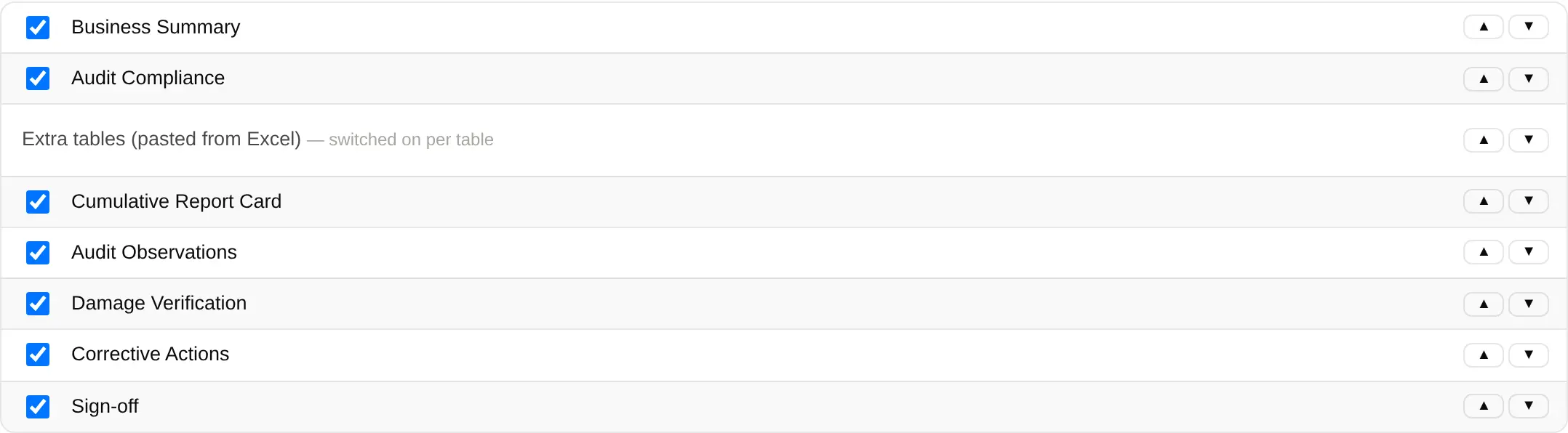
- Open Settings ▸ General.
- Untick any section you do not want on the report. Nothing is deleted — what is recorded stays recorded.
- Use ▲ and ▼ to change the order. The sections renumber themselves, so the document always reads 01, 02, 03 down the page.