Observations, damage and photographs
How to record what happened in words, attach a photograph, and why evidence belongs to one day rather than to a month.
Numbers say what happened. Observations say why, and a photograph settles the argument three weeks later.
Observations

- Press + Add observation.
- Pick the scenario from the list — the list is yours and is edited in Settings.
- Set the status, and write what actually happened in plain words. Names and quantities are what make an observation useful a month later.
Damage verification
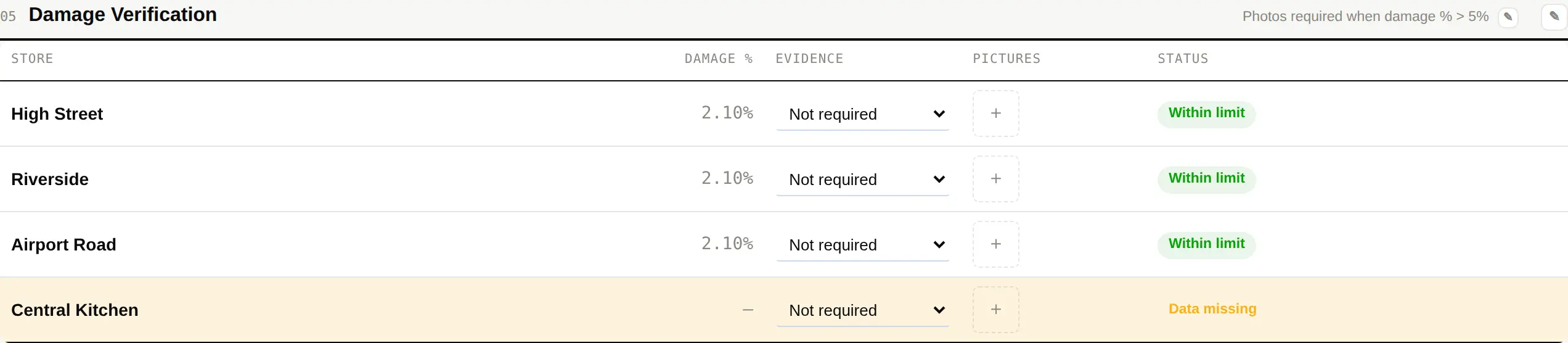
Damage recorded here is checked against the limit you set. A site over the limit shows up in the dashboard's Alerts panel with the figure and the number of days it has been over.
Damage verification and Sign-off belong to one day, so they hide themselves when you switch the report to MTD or YTD. A single day's photograph sitting above a month's score invites somebody to read it as the month's evidence.
Sign-off
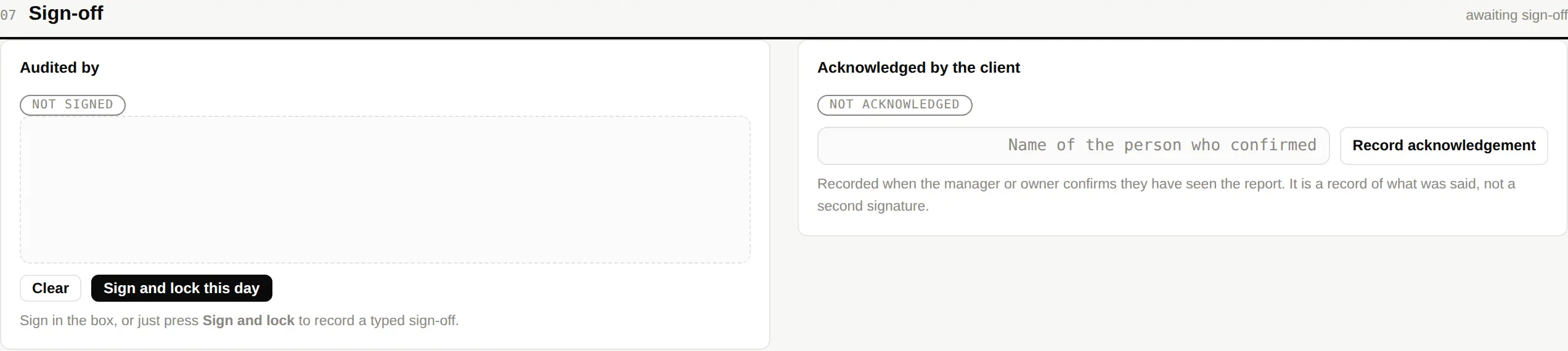
The sign-off names the person who did the audit and the person who reviewed it. It is the difference between a report and a document.